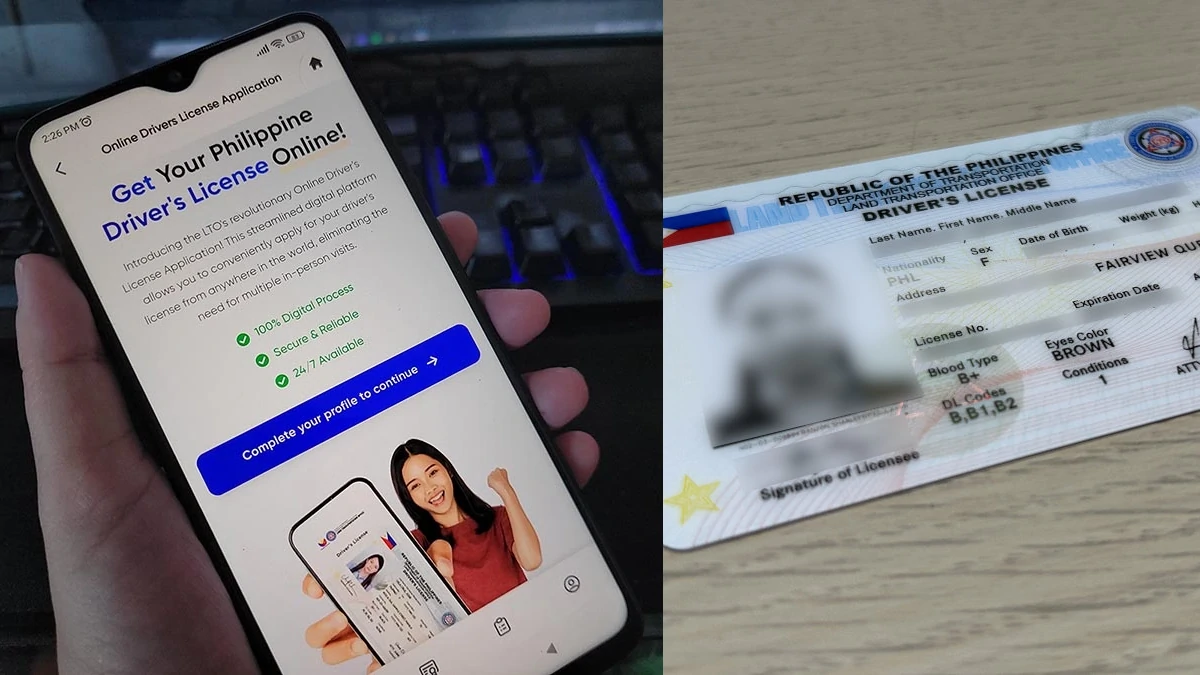
Tired of waiting in long lines at the Land Transportation Office to get your driver’s license renewed? PSA: You can now renew your license online in a few steps through an app.
The Online Driver’s License Renewal System was recently integrated into the eGovPH app, making the license renewal process easier and fixer-free for Filipino motorists.
The Department of Transportation, Land Transportation Office, and the Department of Information and Communications Technology launched the new end-to-end online system within the eGovPH app on Thursday, July 10.
ALSO READ:
Guide: How to get your LTO driver’s license and plates delivered to your home
Stations, schedules, landmarks: Here’s your guide to the Pasig River Ferry Service
According to DOTR Secretary Vince Dizon, the digitalization for renewing licenses will make it easier for people to complete requirements online and prevent motorists from having to deal with fixers. The online renewal is part of the current government’s directive to digitalize government transactions by improving online accessibility of services.
The transport secretary noted that the five steps of the driver's license renewal, including the medical examination and payment, can be easily completed online.
“It is all end-to-end online. Pati ’yung pagbayad online na so kumpleto na ’yan. Hindi na mahihirapan ’yung mga kababayan natin. ’Yung medical exams online na rin. Yung pagkuha mo ng lisensiya, may dalawa kang options. Puwedeng pick-up sa nearest LTO pero puwede mo ring ipa-deliver sa bahay mo,” Secretary Dizon said during the launch.
Is your license expiring soon? Here’s a step-by-step guide to using the Online Driver’s License Renewal System through the eGovPH app.
Install the eGovPH app and set up an account
- Download and install the eGovPH app on your smartphone. The app is available on the App Store and Google Play.
- To use the eGovPH app, you’ll need to set up an account first. This includes putting in your basic information, address, taking a selfie for verification, and assigning an MPIN code.
- Once you’re able to log in, you can explore the app’s main home dashboard, which lists different eGovPH services and has a section for news and articles.
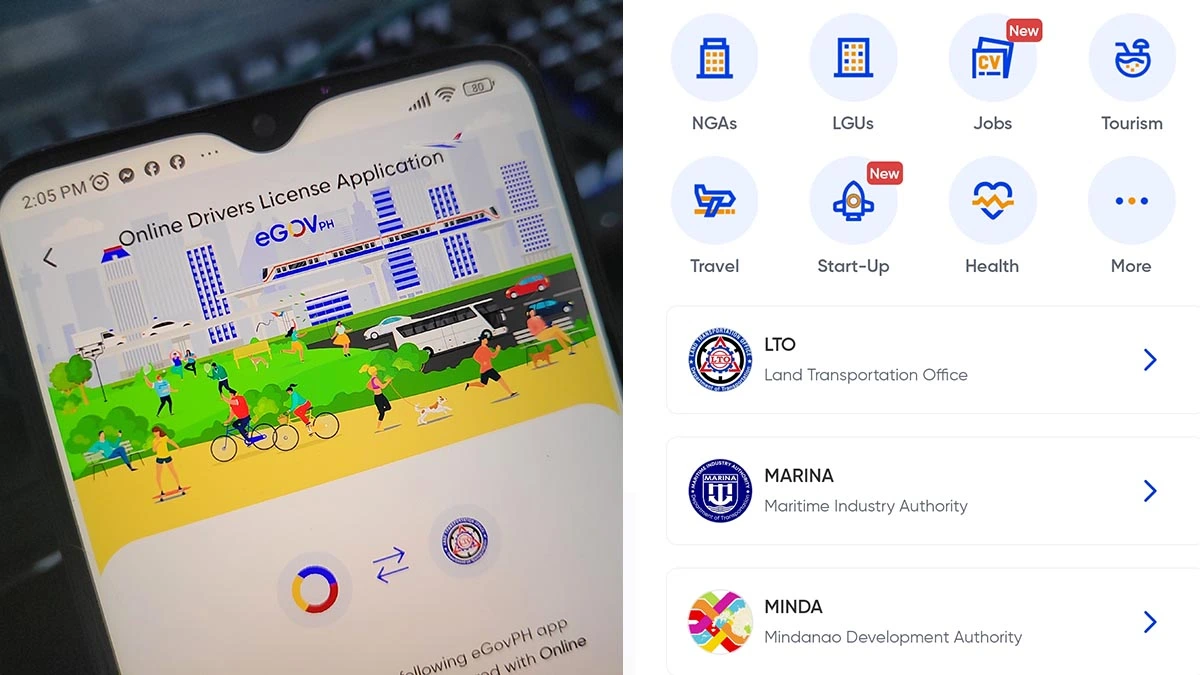
- On the main home screen, click the ‘NGAs’ icon, which stands for National Government Agencies.
- Scroll down and look for the ‘LTO’ icon and click it.
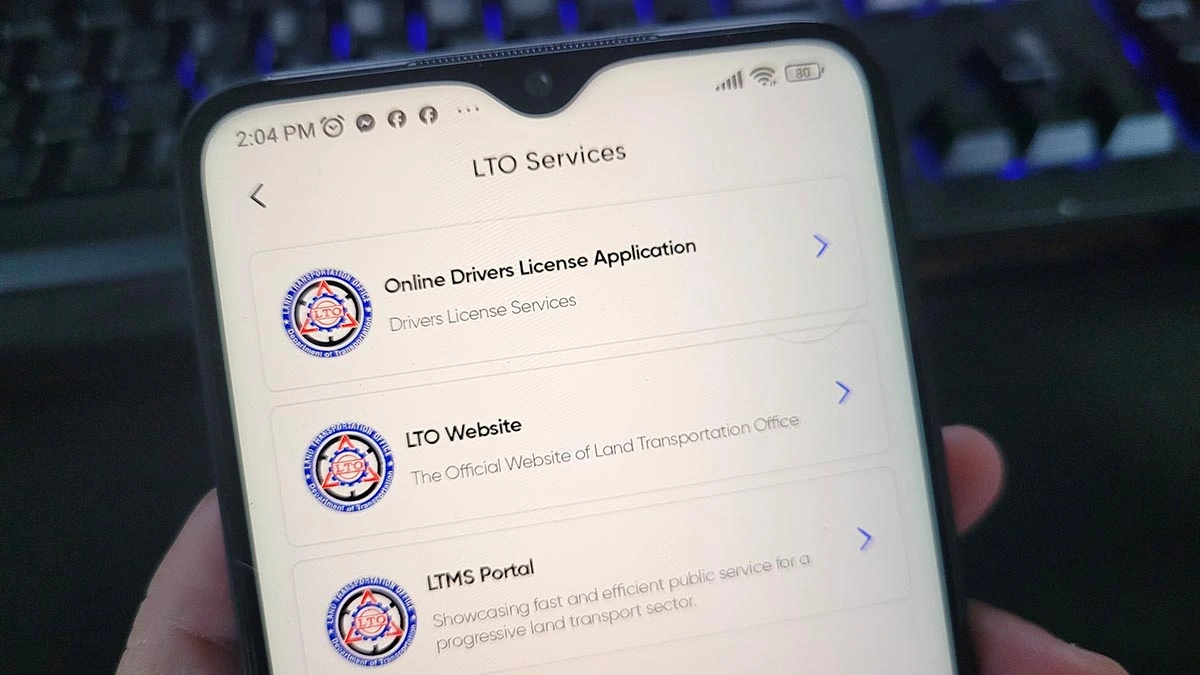
- Three choices will appear, namely: Online Driver’s License Application, LTO Website, and LTMS Portal. Select the first option: “Online Driver’s License Application.”
- Click the button that says: “Complete your profile to continue.”
Gather other requirements
For a seamless renewal process, applicants should first secure the requirements that need to be uploaded during the online transaction process.
A notice pops up showing the pre-requisite requirements for the Electronic Driver’s License (eDL) and renewal of the license.
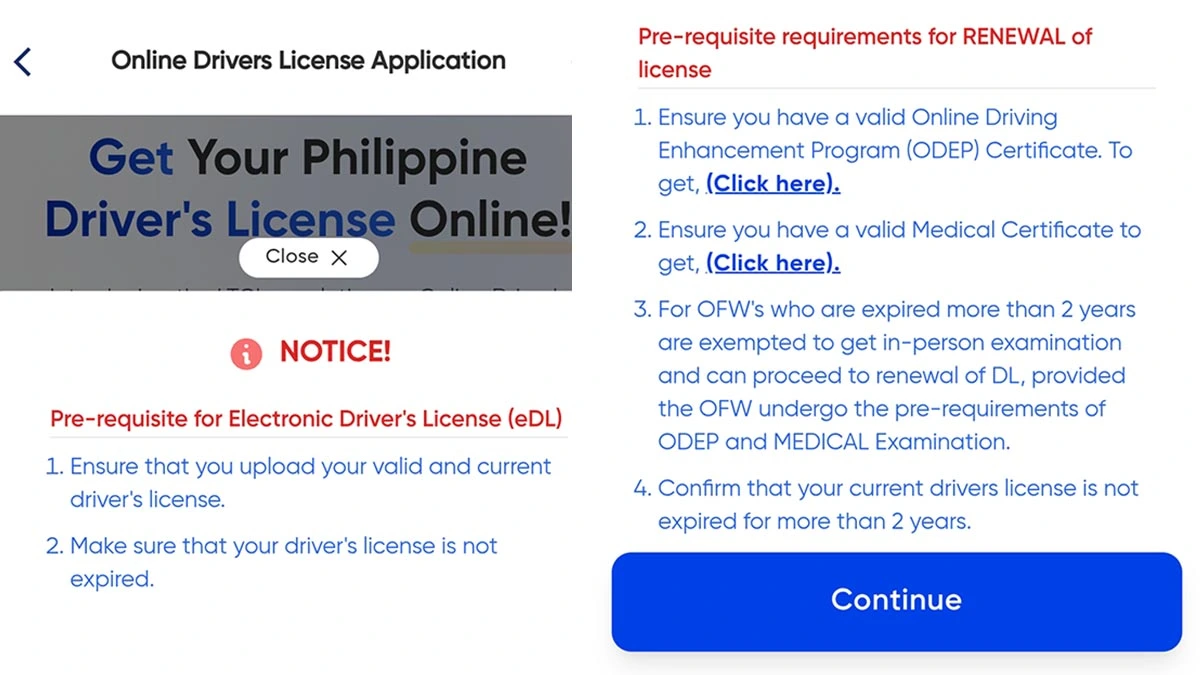
Get an Online Driving Enhancement Program (ODEP) certificate
The LTO said the Complete Online Driver’s Enhancement Program (ODEP) will replace the seminars and can be done completely online.
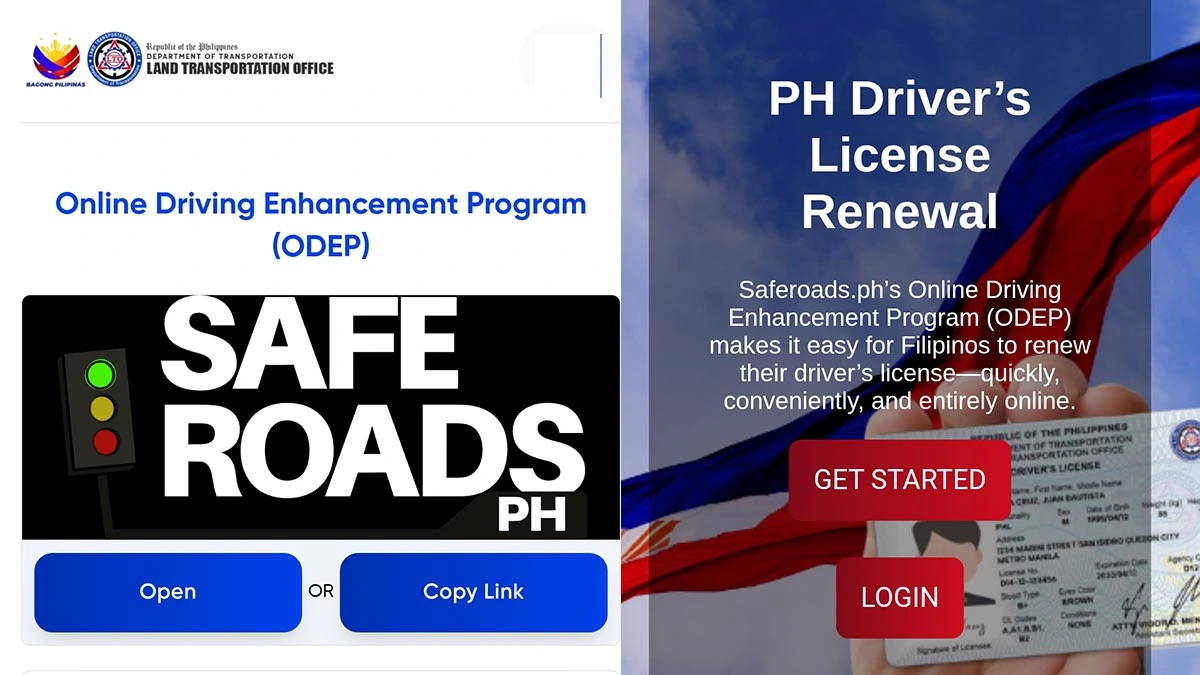
Under item number one, which asks for an ODEP Certificate, tap the “Click here” button, then click “Open under Safe Roads PH.”
The new page will take you to a list of driving schools where you can enroll to get the certificate.
Pick a driving school course, take a photo, register your information, and pay.
Complete the 5-hour education course online. After that, take the exam to receive a copy of your ODEP Certificate.
Get a medical certificate
Even the basic medical examination, which is normally done at accredited clinics near LTO offices, can be completed online through teleconsulting.
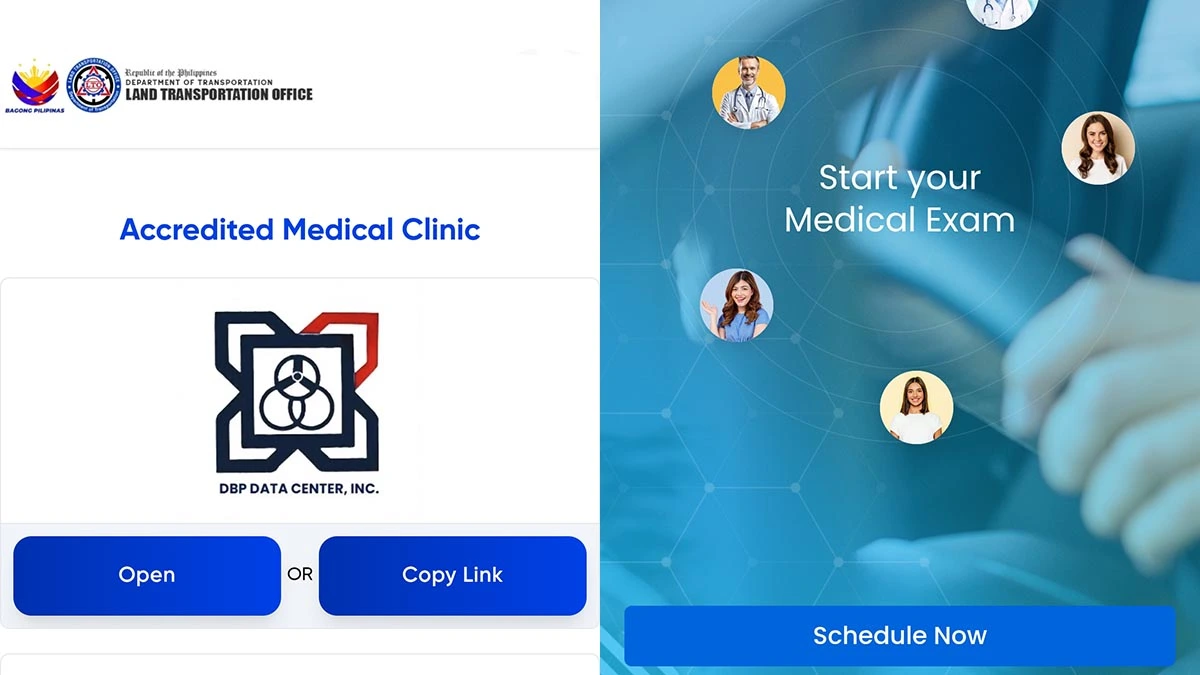
- Under the second line item asking for a valid medical certificate, tap the Click here button. This will lead you to a “Telemedicine” section with several accredited medical clinics to choose from.
- Pick one, register, and select your preferred date and time to book an appointment for a teleconsult.
- Fill up the medical history questionnaire
- Select your preferred payment channel and proceed to pay for the fee.
- Attend the teleconsult with your doctor to undergo the medical test. This includes a Snellen eye test and color blind test that will be done online. Results will be submitted through biometric scans.
- After the consultation, you’ll receive a copy of your medical certificate, which you’ll need to upload.
Upload all your requirements
Once you’ve completed the previous steps, press Continue, and you'll be taken to a page that says “onboarding.” You’ll need a copy of your current driver’s license to proceed.
- Click ‘Renew Your Driver’s License.’
- Upload photos of the front and back of your actual driver’s license.
- Wait for your uploaded files to be validated.
- Once validated, users are advised to review and verify the details before clicking submit.
- Take a photo. Make sure it follows the required standard format outlined in the app.
- Check if your information in the form is correct and fill out the rest of the required data.
- Once complete, you can submit your application, pick Renewal, and pay for the fees online.
- For online payment, choose a payment gateway, then pay the corresponding renewal fee.
- Once your application is complete, you should receive a text message from LTO. The eGovPH app will also show the status of your application. Once your license is approved, the LTO will again send an SMS notifying you.
Pick up or have your license delivered
To receive your driver’s license, you can opt to pick it up from your preferred LTO branch or have it delivered by courier for an additional fee. According to LTO, the door-to-door delivery may take up to 72 hours or three days.
Under the new system, your new driver's license should also automatically show up as a digital ID in the eGovPH app. This e-license, which can be accessed whether you are online or offline, is valid as the physical card in case plastic cards are not available.
This new online system beats having to line up at physical offices to complete requirements. Motorists can save time and transportation costs by not having to visit license renewal offices and medical clinics.
ICYDK, the eGovPh mobile app aims to simplify various transactions with various government agencies. The app also enables access to other important services, including renewing vehicle registration, applying for a passport, and accessing the e-Travel system, which is a mandatory requirement for traveling in and out of the country.
Got all that? In case you prefer visual to written instructions, the DOTR has also released a step-by-step video guide to using the new system, which you can watch here.