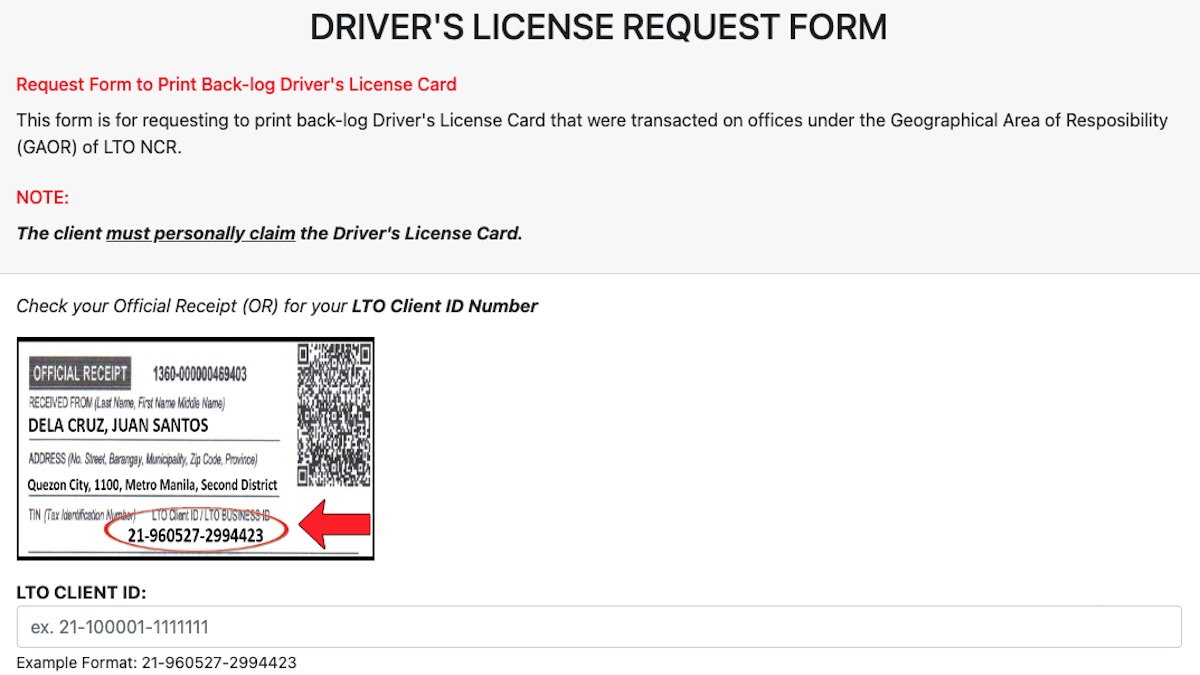
If you have yet to receive the plastic card for a driver’s license renewed via a branch of the Land Transportation Office–National Capital Region (LTO-NCR), you can now check its status or request for printing via the LTO-NCR website.
The agency has launched the following portals: www.ltoncr.com/dlcardrequest for Print Request for Backlog Driver’s License Cards, and www.ltoncr.com/dlcardinquiry for Driver’s License Online Inquiry.
OTHER STORIES YOU MIGHT HAVE MISSED:
New fines for lack of tollway RFID and insufficient load deferred to October 1, 2024
Temporary license plates have a new format for 2024: Here’s everything you need to know
“This online service is exclusively available to clients who have renewed or applied for their driver’s license at the LTO-NCR offices,” said Roque Verzosa III, regional director of LTO-NCR. “The system enables users to request and claim their driver’s license cards only at the specific LTO office where the transaction took place. This ensures a streamlined process and improves overall efficiency in card distribution.”
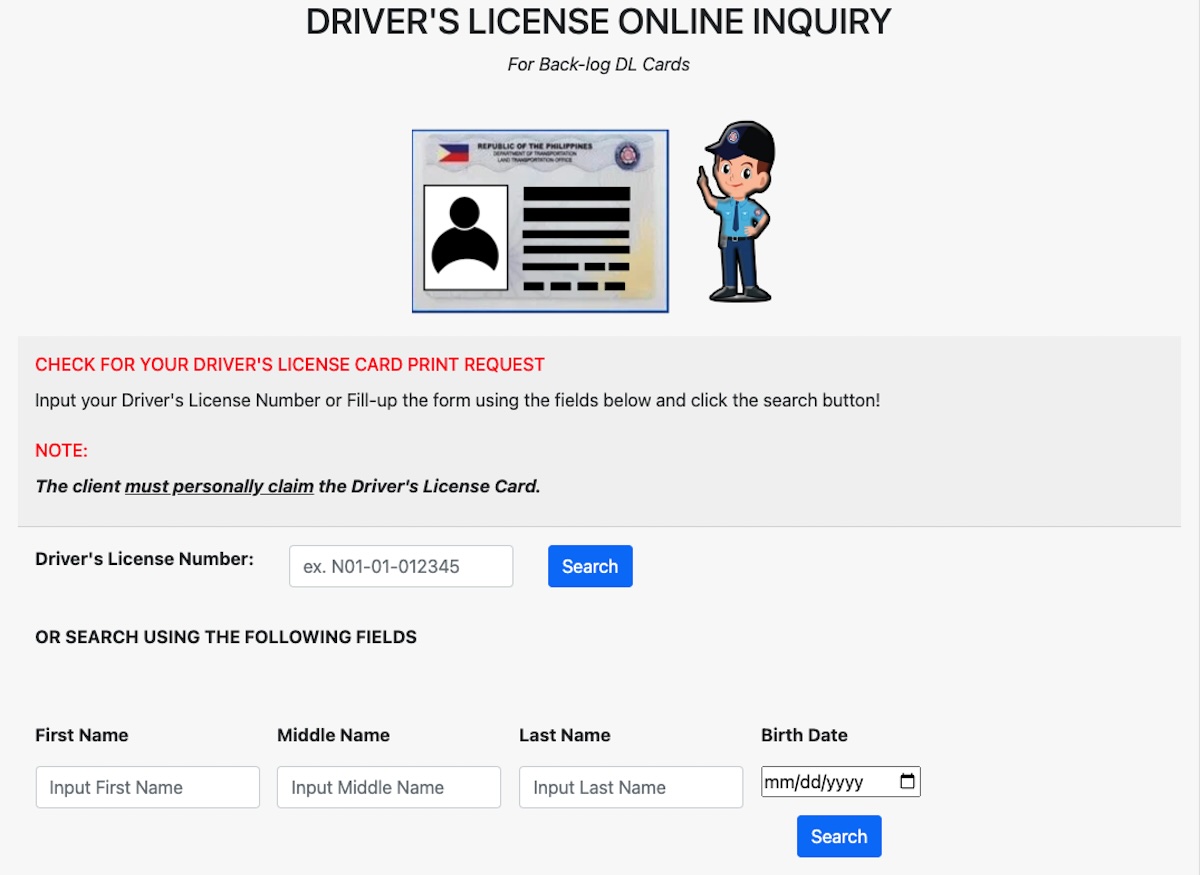
Verzosa added that the option to request and claim driver’s license cards is currently available at select LTO driver’s license renewal offices (DLROs), licensing centers (LCs), and district or extension offices (DOs or EOs) in the National Capital Region. More LTO-NCR offices will soon be integrated into the online system.
Most of the information needed to use these LTO-NCR online systems may be found on the official receipt of your driver’s license.
Information needed to use the LTO-NCR online Print Request for Backlog Driver’s License Cards
- LTO client ID
- LTO field office where driver’s license was renewed
- Office code number
- Driver’s license number
- Driver’s license classification
- First name, middle name, last name
- Sex
- Birth date
- Email address
- Contact number
Information needed to use the LTO-NCR Driver’s License Online Inquiry
- Driver’s license number
- First name, middle name, last name
- Birth date
“The LTO-NCR is committed to expanding this service to ensure that more clients can benefit from the convenience of online access to their driver’s license cards,” Verzosa said. “The introduction of this online system is a significant step toward modernizing services and enhancing customer satisfaction.”