
The Land Transportation Office (LTO) shook the Internet today with its announcement that registration renewals can now be done online. But of course, it’s not as simple as it sounds.
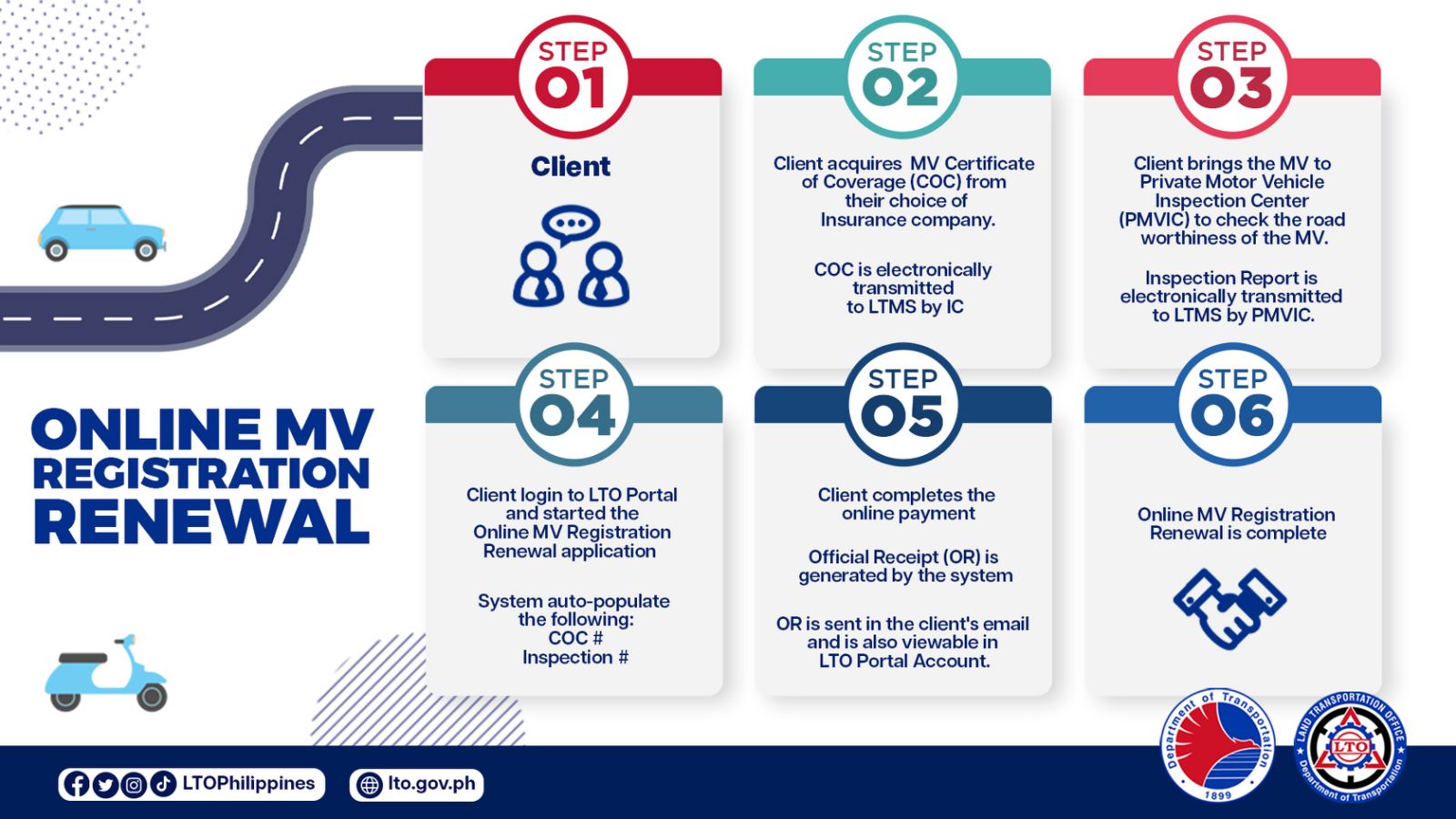
Fortunately for all of us motorists, the agency released a simple guide that we will be going through quickly here.
OTHER STORIES YOU MIGHT HAVE MISSED:
It’s official: The all-new 2023 Toyota Wigo makes its world debut
Report: Toyota is bringing back the Tamaraw in PH
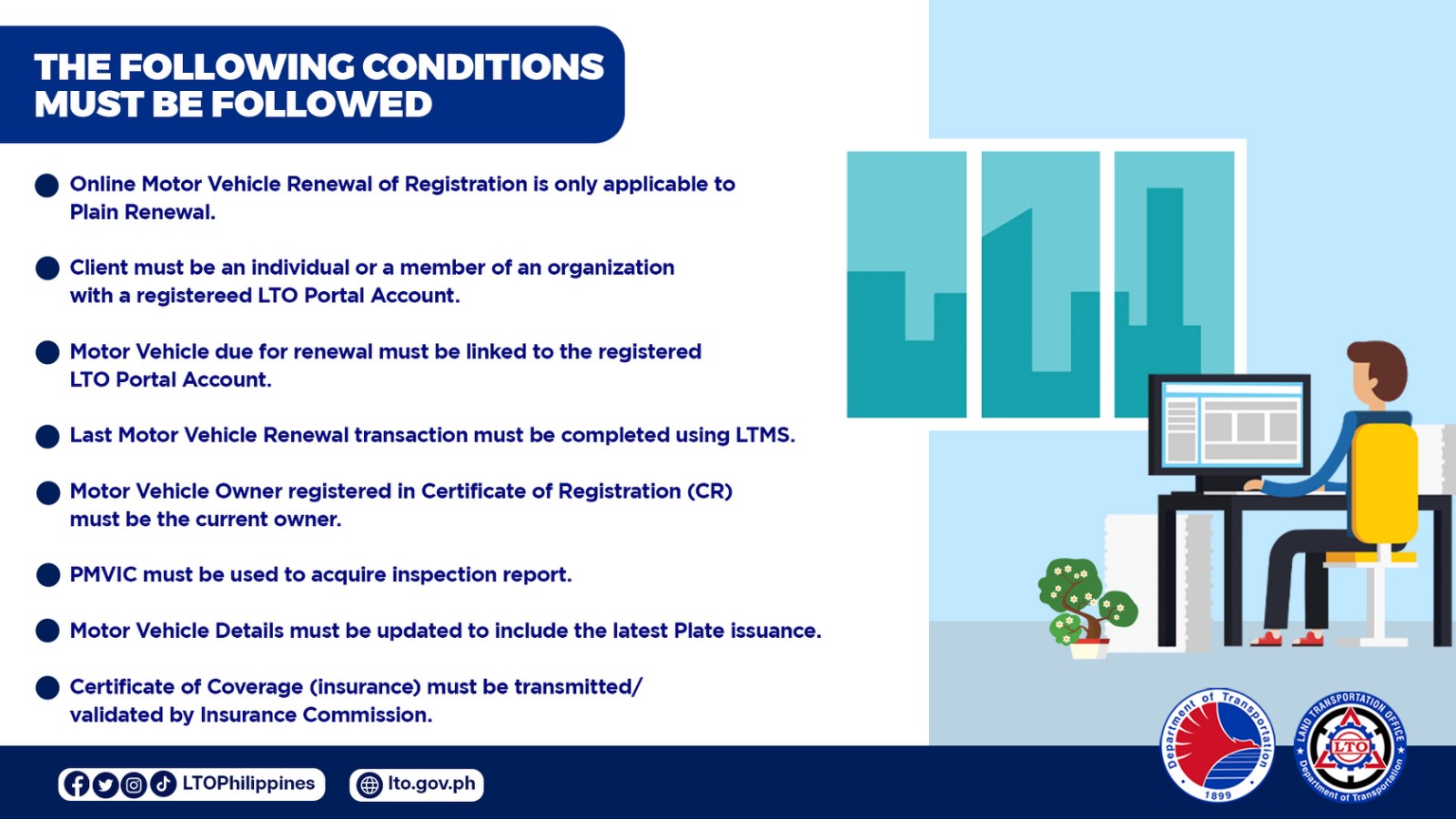
What are the requirements for the online LTO registration renewal?
Firstly, vehicle owners must have a registered Land Transport Management System (LTMS) Portal account. For a guide on that, you can check out this link. The motor vehicle must also be linked to the registered account, and the last renewal transaction must be completed using the LTMS. In addition, the motor vehicle’s Certificate of Registration (CR) must be updated and should indicate the correct name of the current owner.
As we mentioned in our previous story, first-timers for this online registration renewal process will still need to head over to any LTO district office. In the years that will follow, they will then be able to see their vehicle details in the LTMS Portal and may proceed with the online process on their own.
After checking all of these, what’s next?
As we implied earlier, some parts of the new process will still require you to step away from your computer desk and actually go out. You should first secure a Certificate of Coverage (COC) from your insurance provider of choice, who will then transmit the records electronically to the LTMS.
Afterwards, you’ll have to bring your vehicle to a Private Motor Vehicle Inspection Center (PMVIC) for, well, inspection. If your vehicle is deemed roadworthy, the PMVIC will then electronically transmit the records to the LTMS.
Once you’ve completed these steps, it’s time to go back online.
Nice. Now what?
Now you have to log into the LTMS with your account and begin the online registration renewal application. You should be able to see the COC and the inspection report in the system.
You will then be able to settle payments and generate an official receipt (OR) through the system. After that, you’re good to go.
We reckon there will be some birthing pains for this new system, so if you have any questions or concerns, let us know in the comments. We’ll whip up a follow-up guide for this one if we need to.