Got issued a citation ticket for violatiing traffic rules? If this happened in the nation’s capital, you can now settle your Manila City traffic violation online via the new Go Manila app or the local government’s official website.
This was formally announced by Mayor Honey Lacuna-Pangan on June 30. The official reminded that traffic violatons must be settled within 10 days of apprehension; otherwise, the record will be forwarded to the Land Transportation Office (LTO), which will then tag the motorist as a non-paying violator.
Here’s how to settle Manila City traffic violations online:
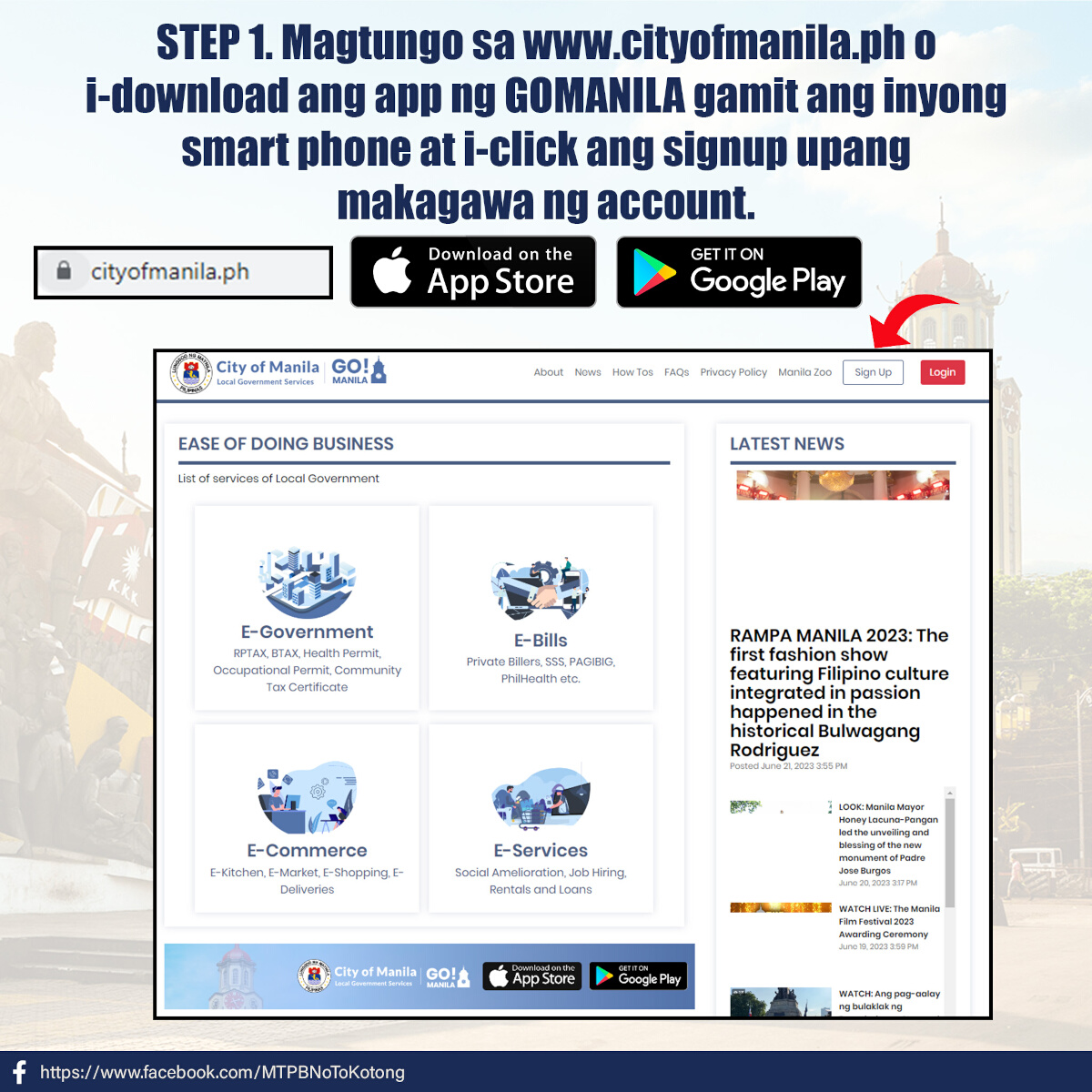
1) Download the Go Manila app or head to the official website.
The Go Manila app is available on both the App Store and Google Play. If you would rather use the website, log on to www.cityofmanila.ph. If you’re a new user, click on the ‘sign up’ button.
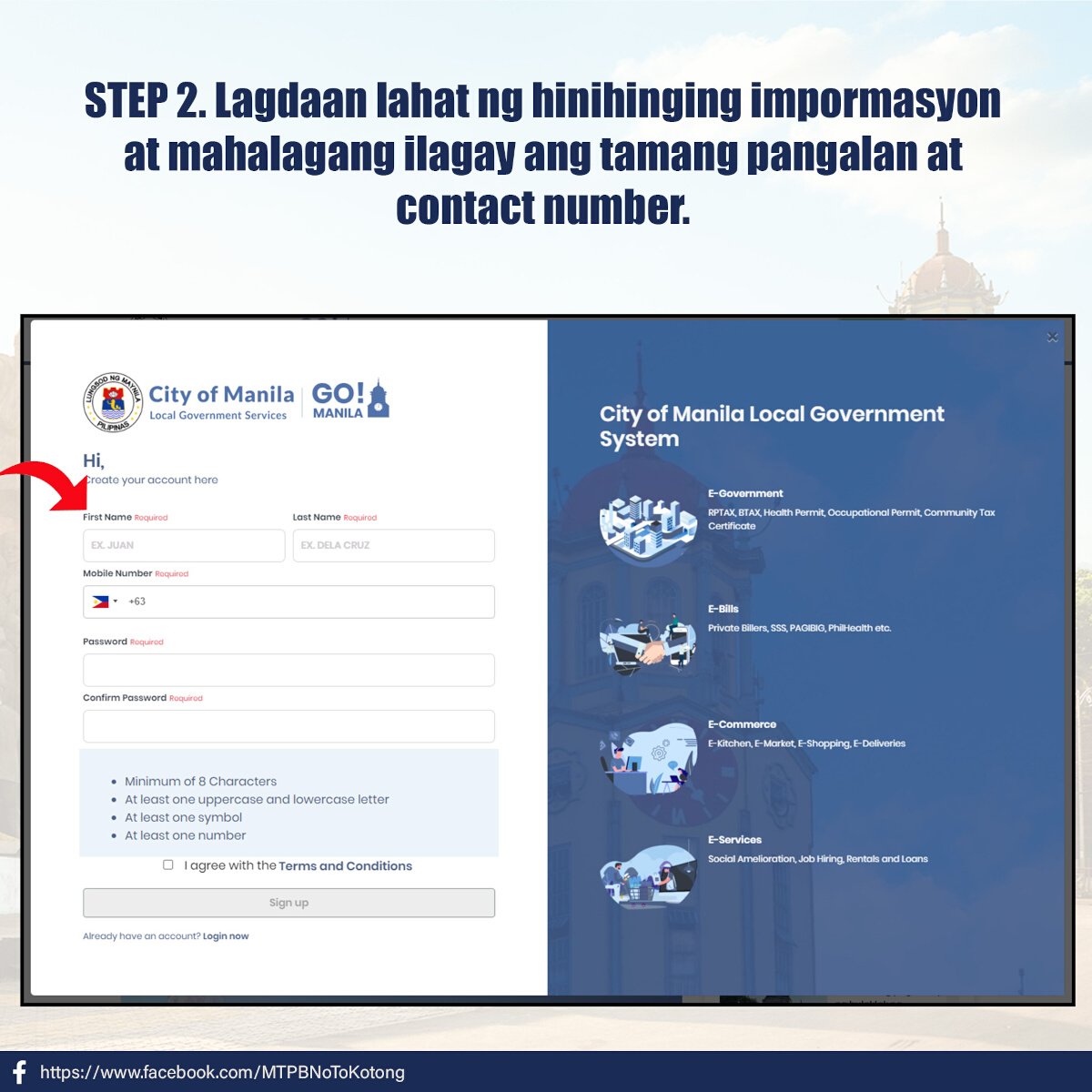
2) Create an account.
Fill out the required information. Note that you can also use this account not just to settle traffic violations, but also for other local government transactions, bills payment, and even e-commerce and e-services.
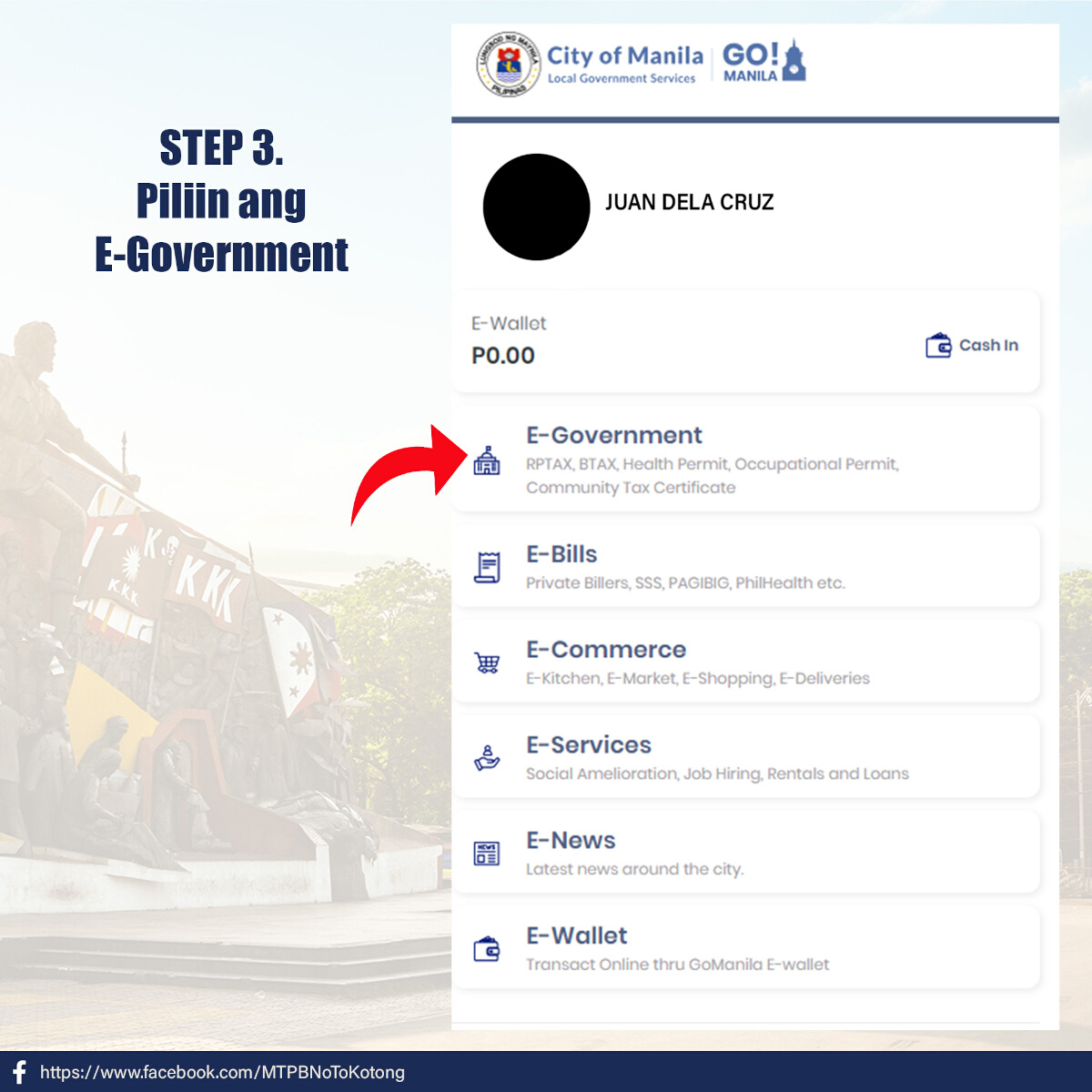
3) Click on ‘E-Government.’
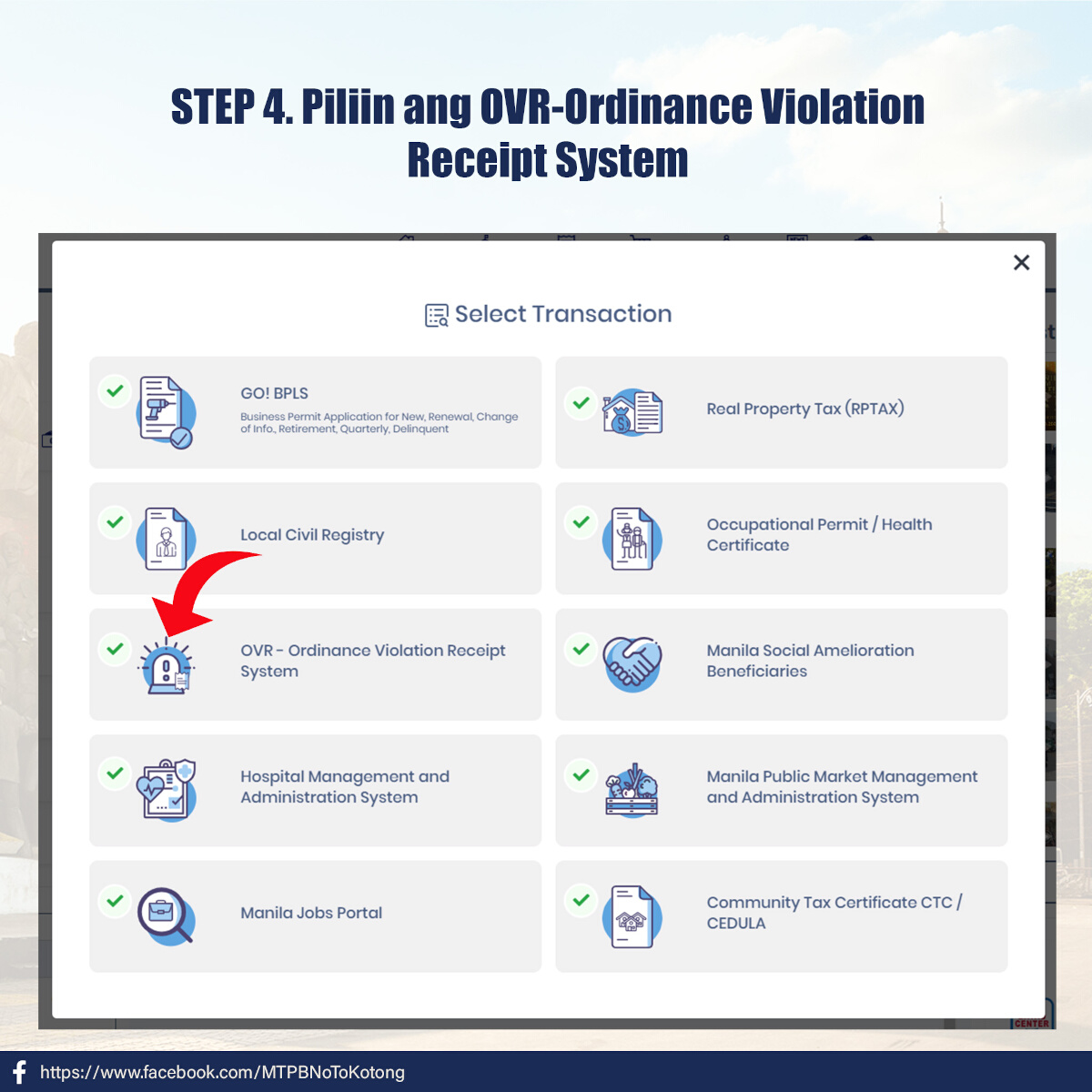
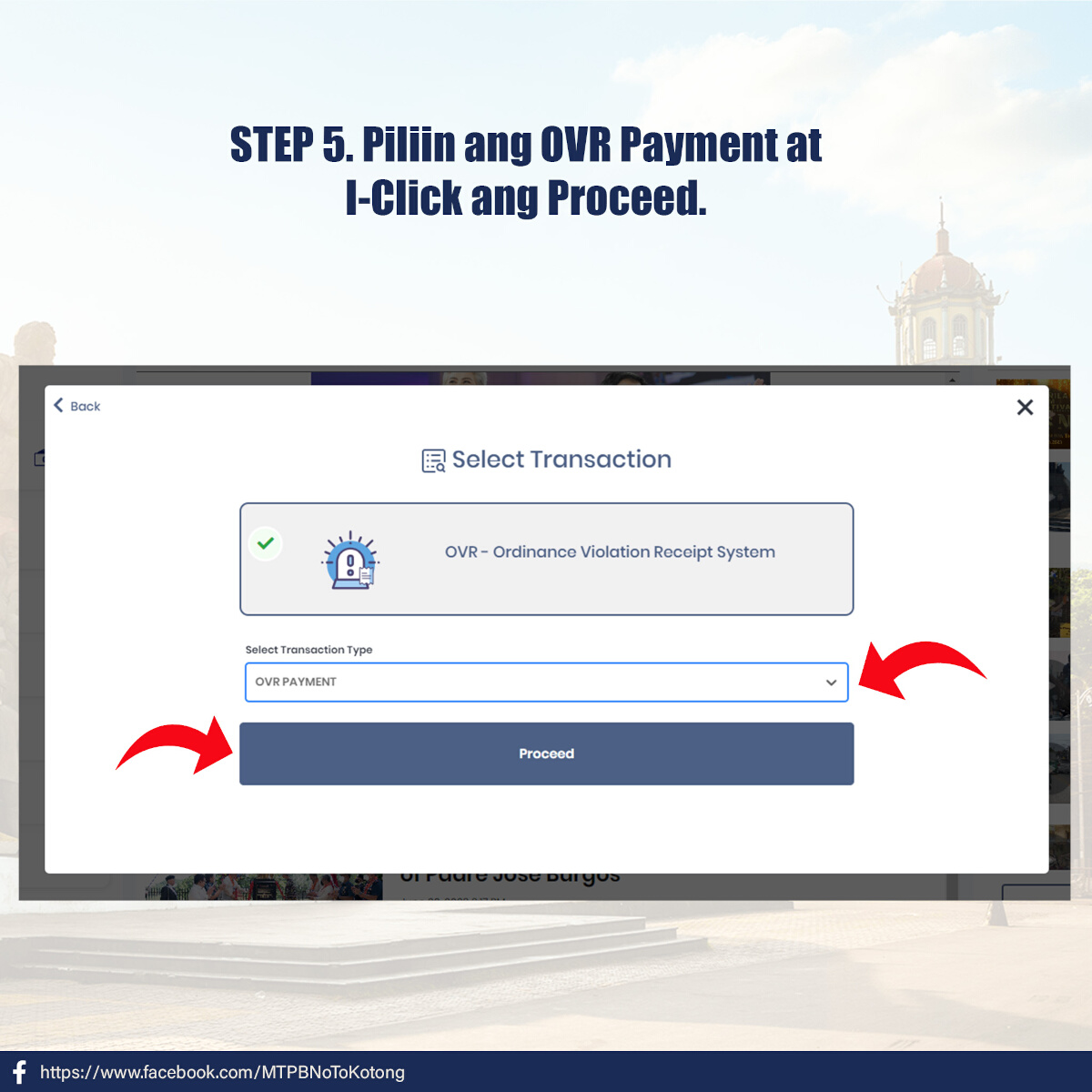
Under the listed transactions, click on ‘OVR - Ordinance Violation Receipt System,’ then select ‘OVR Payment.’
OTHER STORIES YOU MIGHT HAVE MISSED:
Need to pay fines? MMDA says transact in Pasig main office
‘Soft launch’ of handheld ticketing devices set for July: MMDA
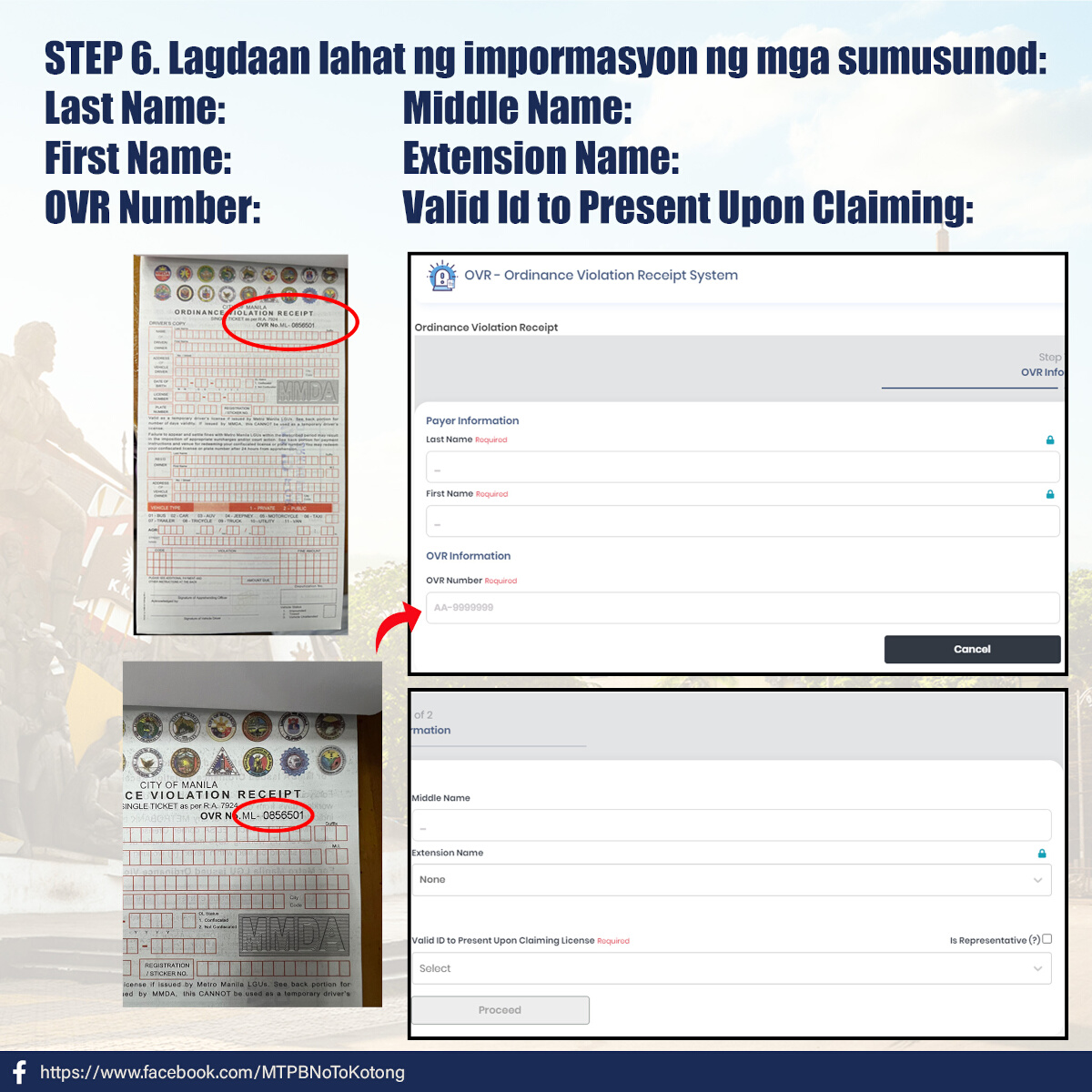
4) Fill out the required information.
This includes your last, middle, and first names, the OVR number as seen on the actual citation ticket, and the valid ID you will present.
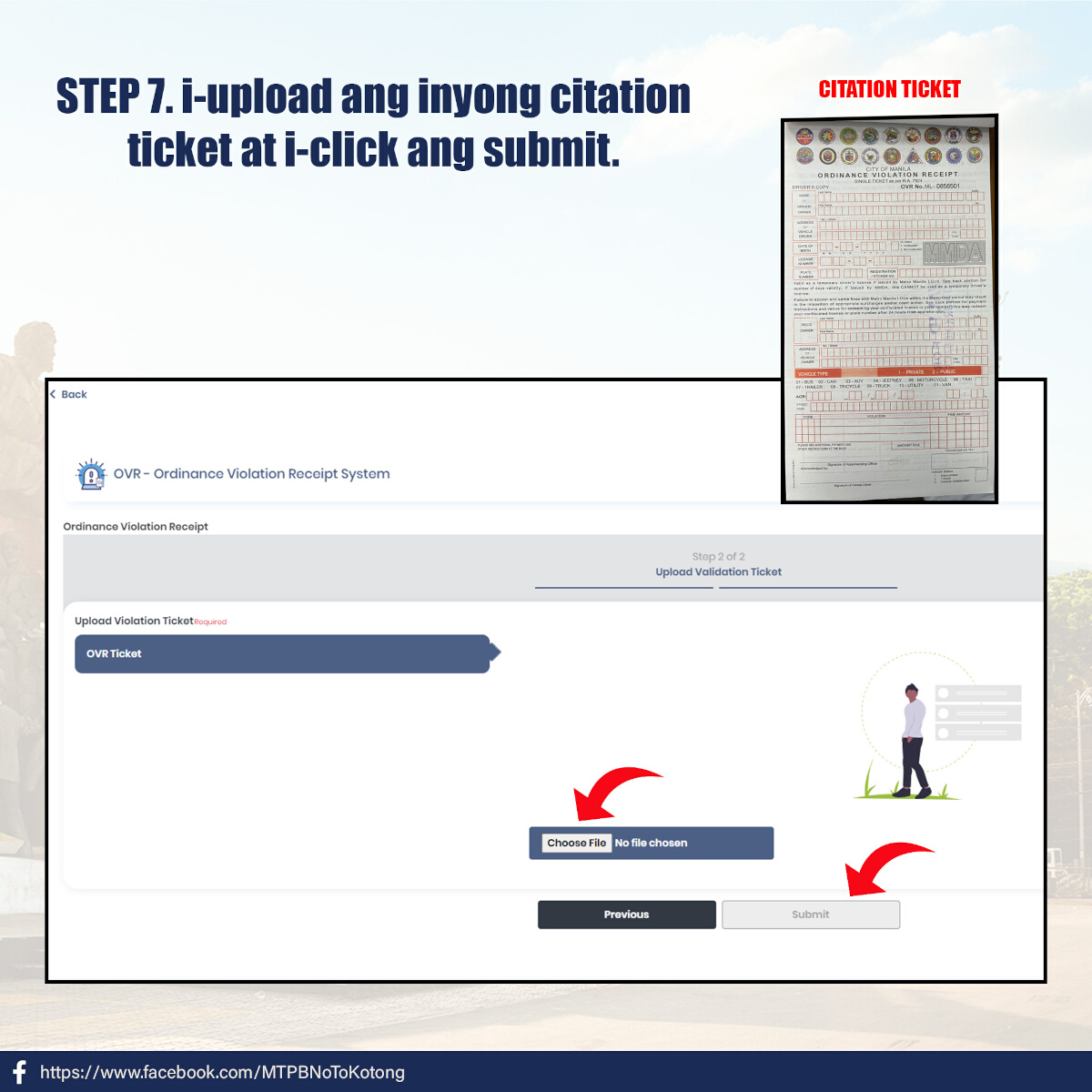
5) Upload a photo of the citation ticket.
Make sure the photo shows the full ticket and all the information, printed or written, is legible.
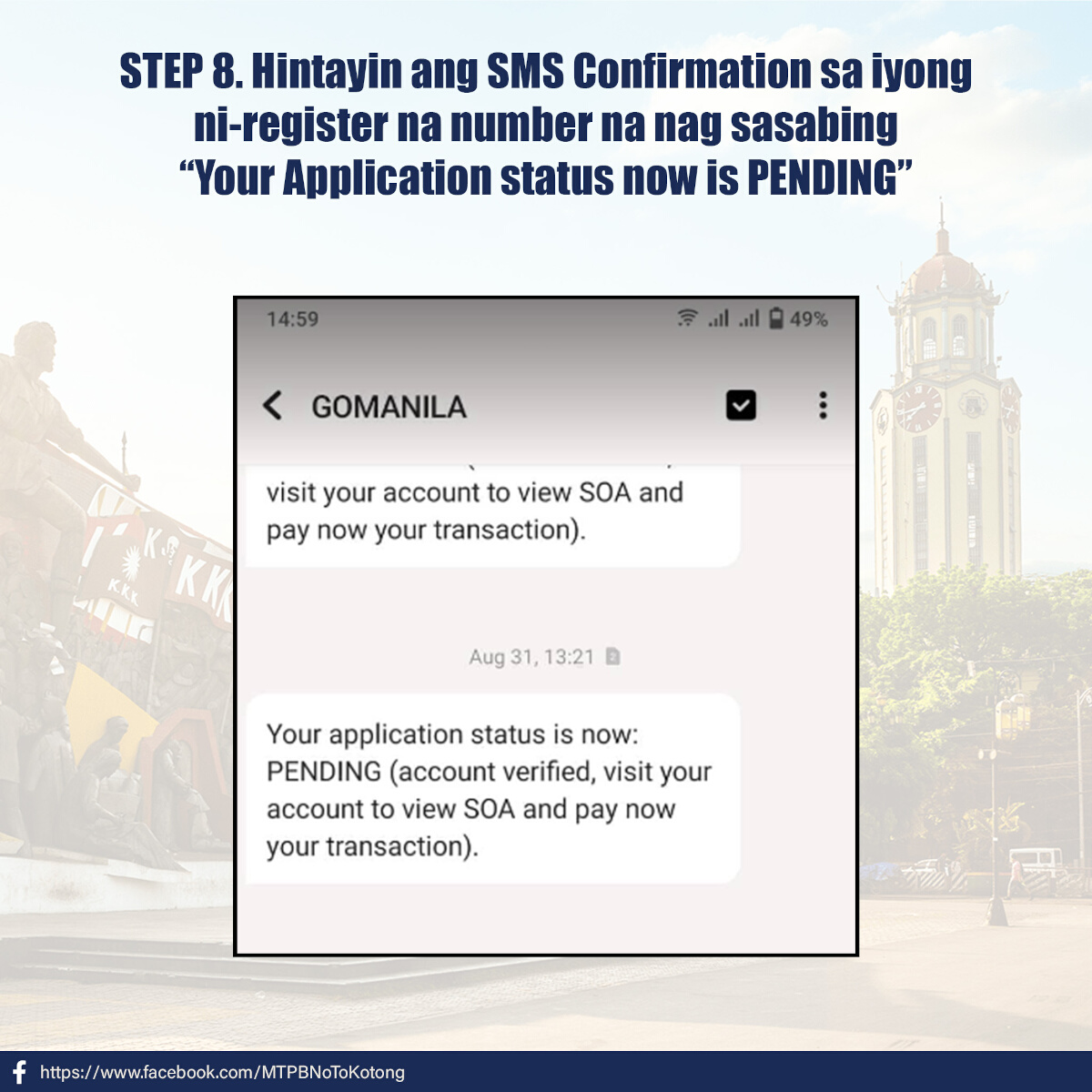
6) Wait for the SMS confirmation to be sent to your registered number.
The message should read, “Your application status is now: PENDING (account verified, visit your account to view SOA and pay now your transaction).”
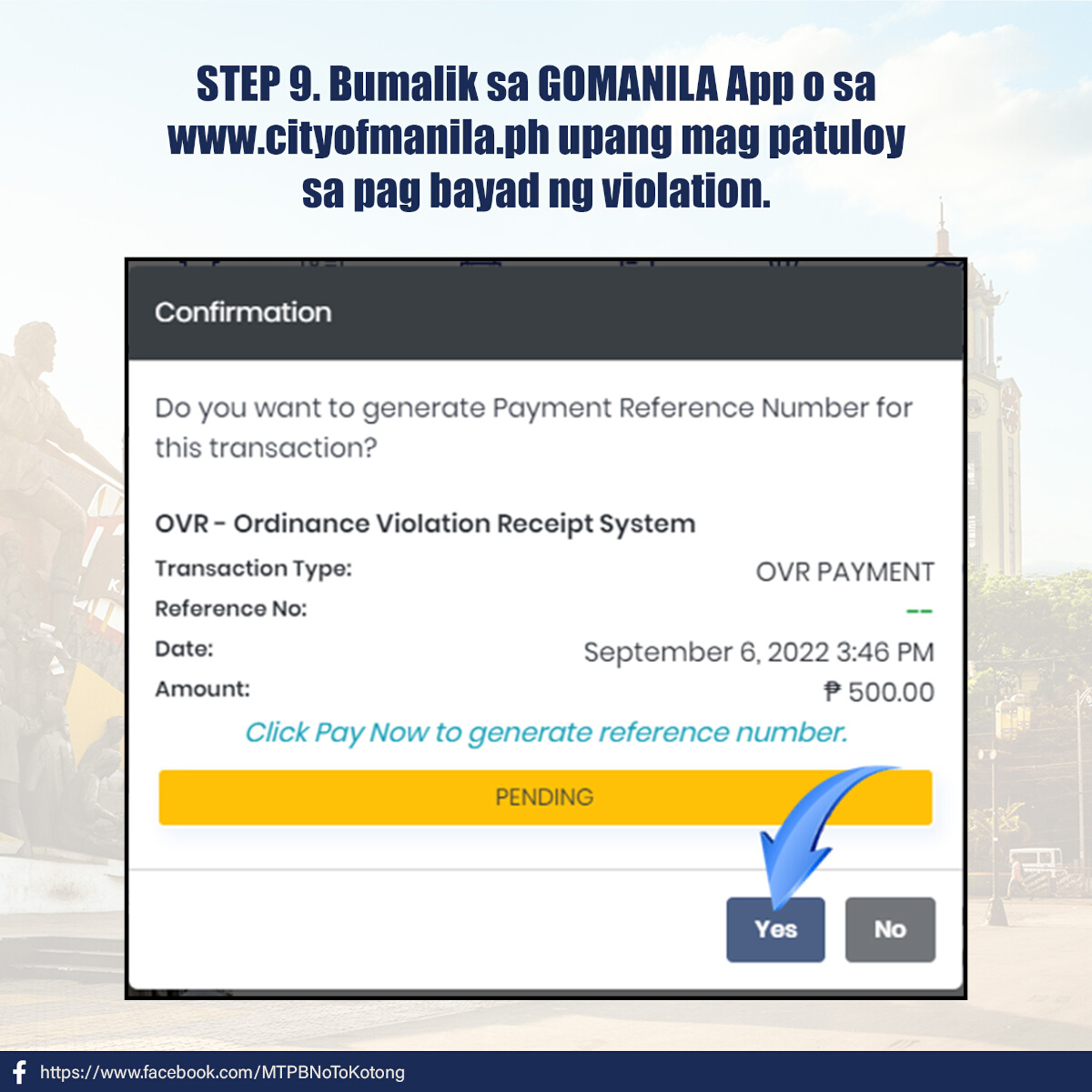
7) Generate a payment reference number.
Go back to the transaction on the Go Manila app or www.cityofmanila.ph and click ‘yes’ to generate a payment reference number.
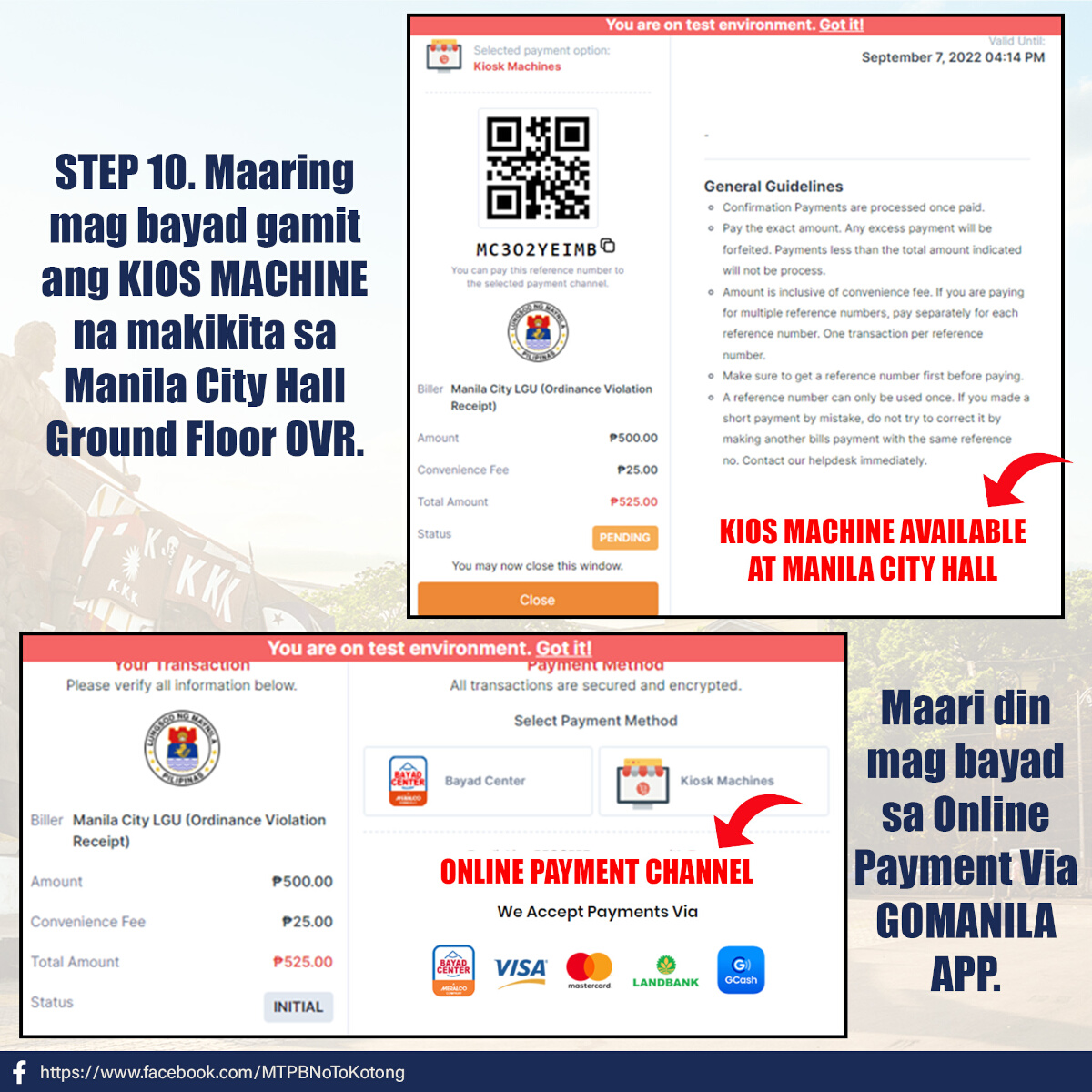
8) Complete the payment.
You have two payment options. The first one is to use the kiosk machines at the ground floor of the Manila City Hall. Make sure to use the correct payment reference number and pay the exact amount.
If you’d rather complete everything on your phone, you can use the online payment channels via the Go Manila app. Accepted online payment channels are Bayad Center, Visa or Mastercard, Landbank’s online portal, and GCash.
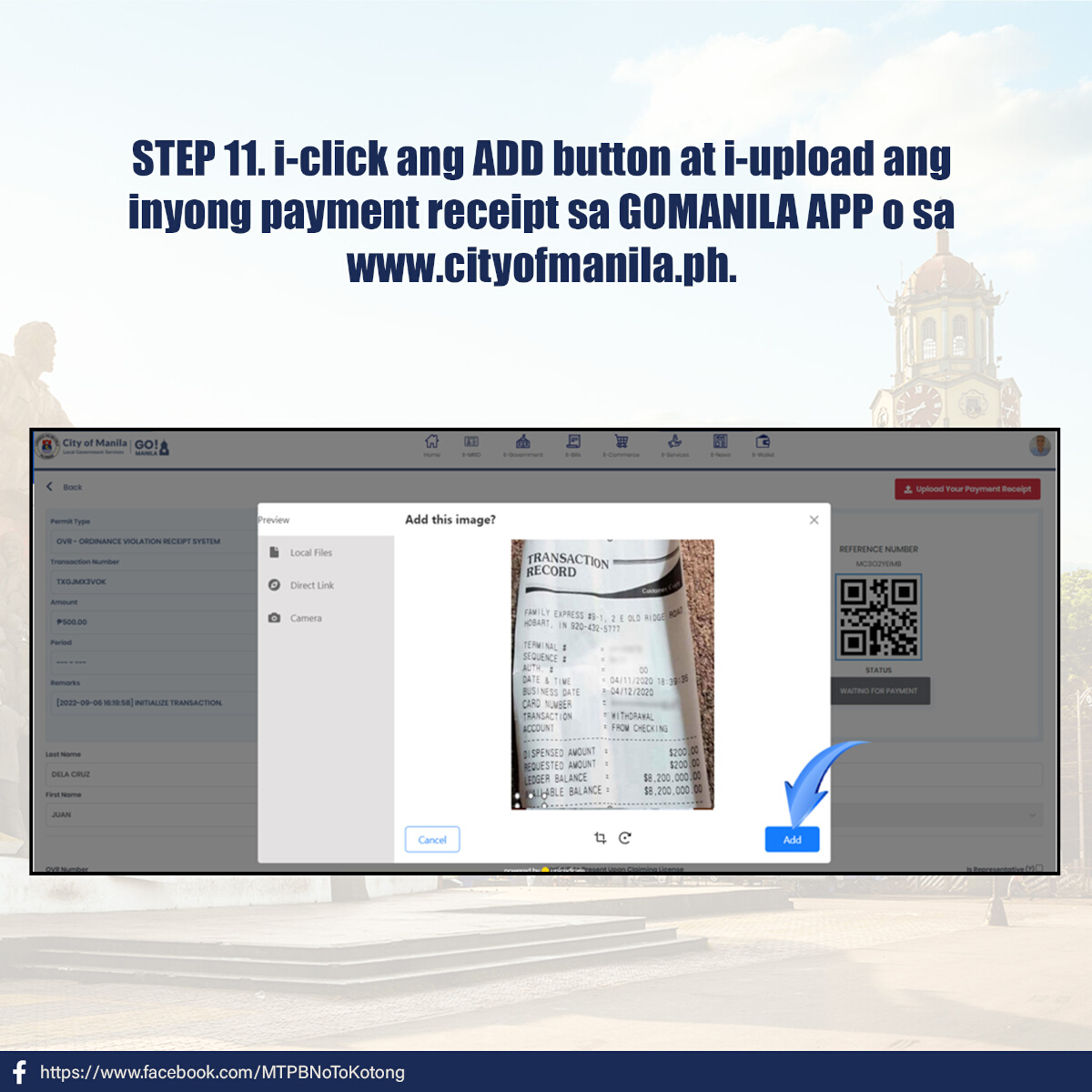
9) Upload the payment receipt.
You can do this via the Go Manila app or www.cityofmanila.ph. The advisory does not say if the system can automatically recognize payments using the payment reference number, so for now, it’s best to assume that without submitting this proof of payment, your traffic violation will remain unsettled on the database.
ALSO READ:
The MMDA is working on bringing back no-contact apprehension policy
Everything you need to know about the Metro Manila single ticketing system
In photos: How to pay for Manila City traffic tickets online